In addition to the use of HubSpot's Workflows > Send an email action to send confirmation/thank-you notifications to end-users after form submissions, it's also possible to send a transaction receipt from Stripe.
DepositFix integrates directly with Stripe so all you need to do is enable it from your Stripe dashboard.
In Stripe, navigate to Business settings > Customer emails then check Successful payments.
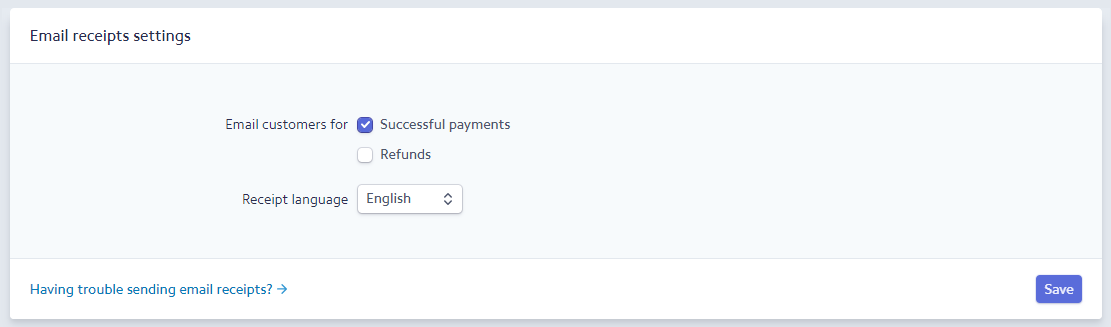
If you want to send notifications too on refunds, you can check Refunds as well, then Save.
Note that in Stripe test mode, transaction receipts will not be sent automatically. This only works in Live mode. If for some reason you need to see the receipt in test mode, you can do it manually.
To send receipts manually
- Go to Payments (left sidebar on your Stripe dashboard), then pick any of the payments/charges.
- On the next screen, scroll somewhere in the middle to the Receipt history section as shown below.
- Simply click on Send receipt.
