In order to cancel your DepositFix subscription, please email us at support@DepositFix.com.
If you would like to completely remove DepositFix from your HubSpot account, you can follow the steps below.
1. Disconnect the DepositFix app
From your HubSpot dashboard, click on the Settings icon.

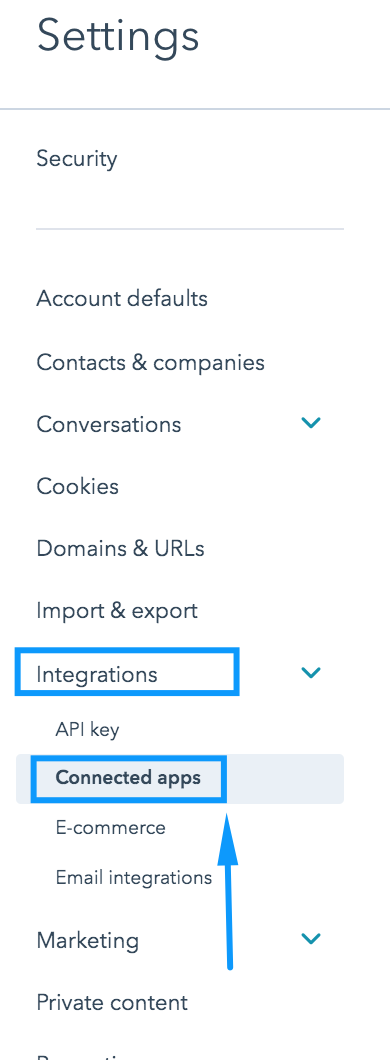
Navigate to Integrations >> Connected Apps
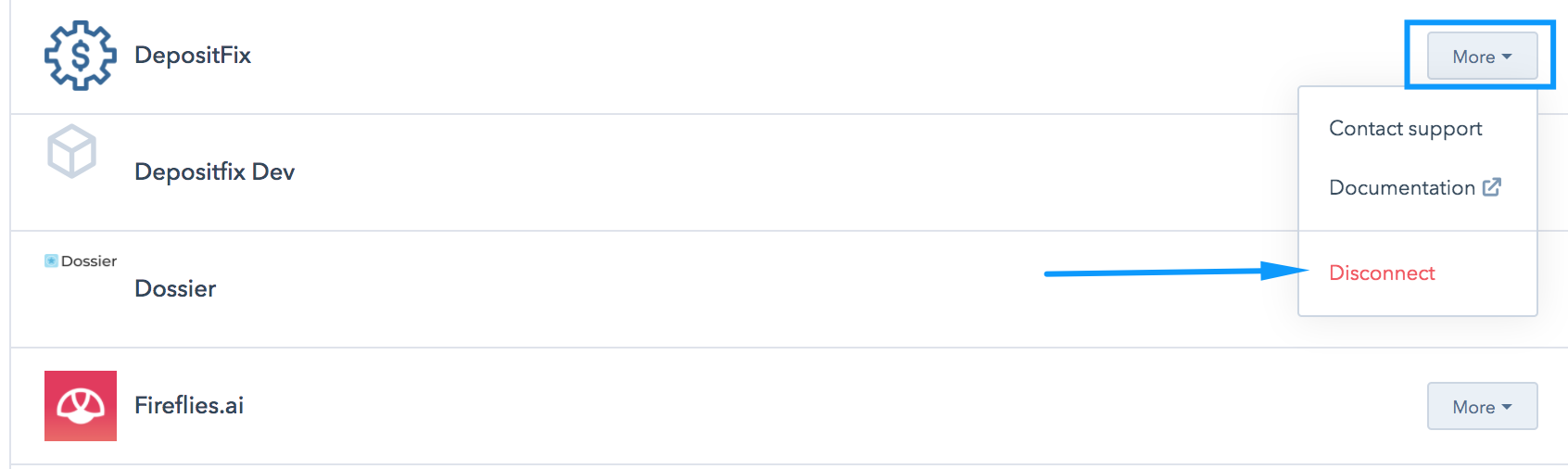
Locate the DepositFix app, and click on More >> Disconnect
2. Remove DepositFix properties and workflows
During the on-boarding process, when you connect DepositFix to your HubSpot account, DepositFix creates a number of payment properties and workflows. You can easily remove those from your HubSpot account if you would like to remove DepositFix completely.
You can find a full list of these properties and workflows, here.