As part of your DepositFix subscription, you can create a Billing Profile page for Stripe payments and subscriptions.
Each customer will have a unique customized page built for them, and hosted by DepositFix, with the information pulled from Stripe.
You can manage the billing profile page from Settings -> Public Billing Profile
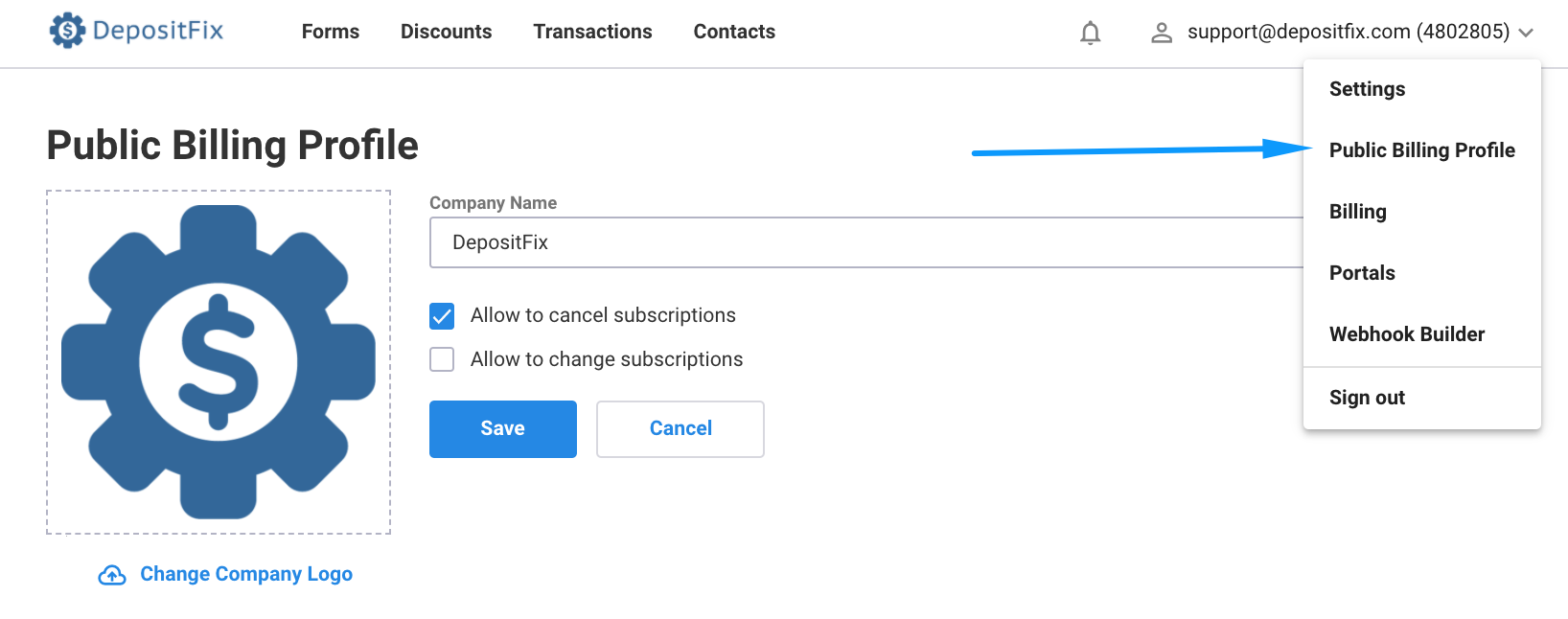
You can update your company name, logo, and choose to enable or disable allowing customers to cancel their own subscriptions. You can also change the styling on your billing profile and use custom CSS to match your design, more information here.
The page includes:
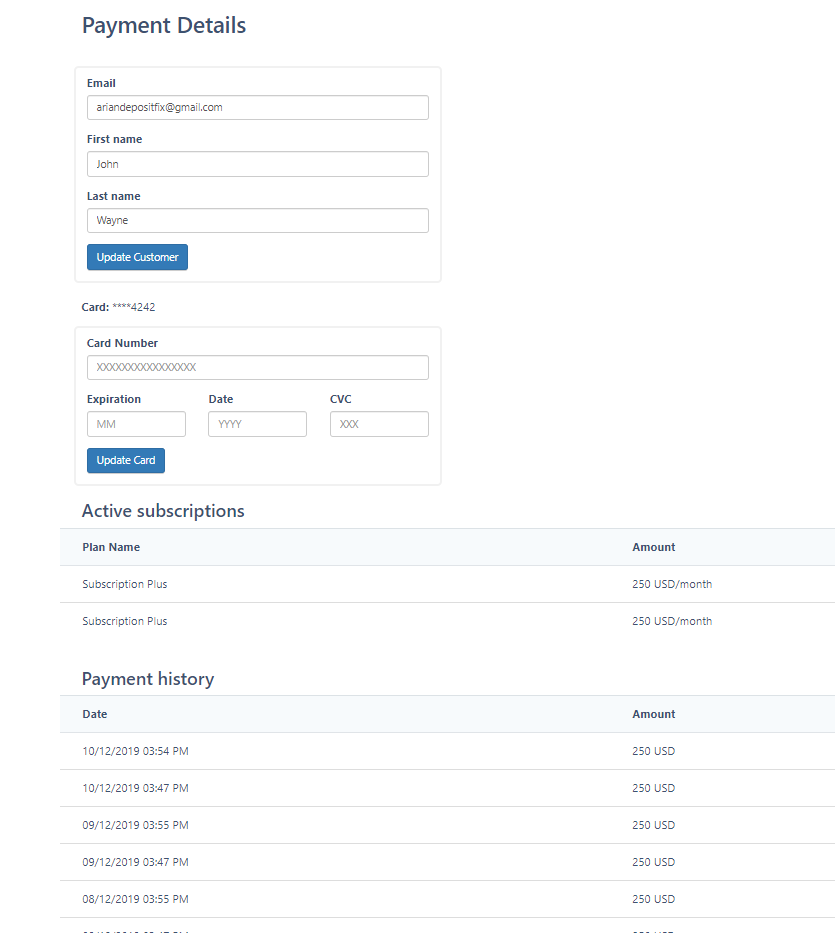
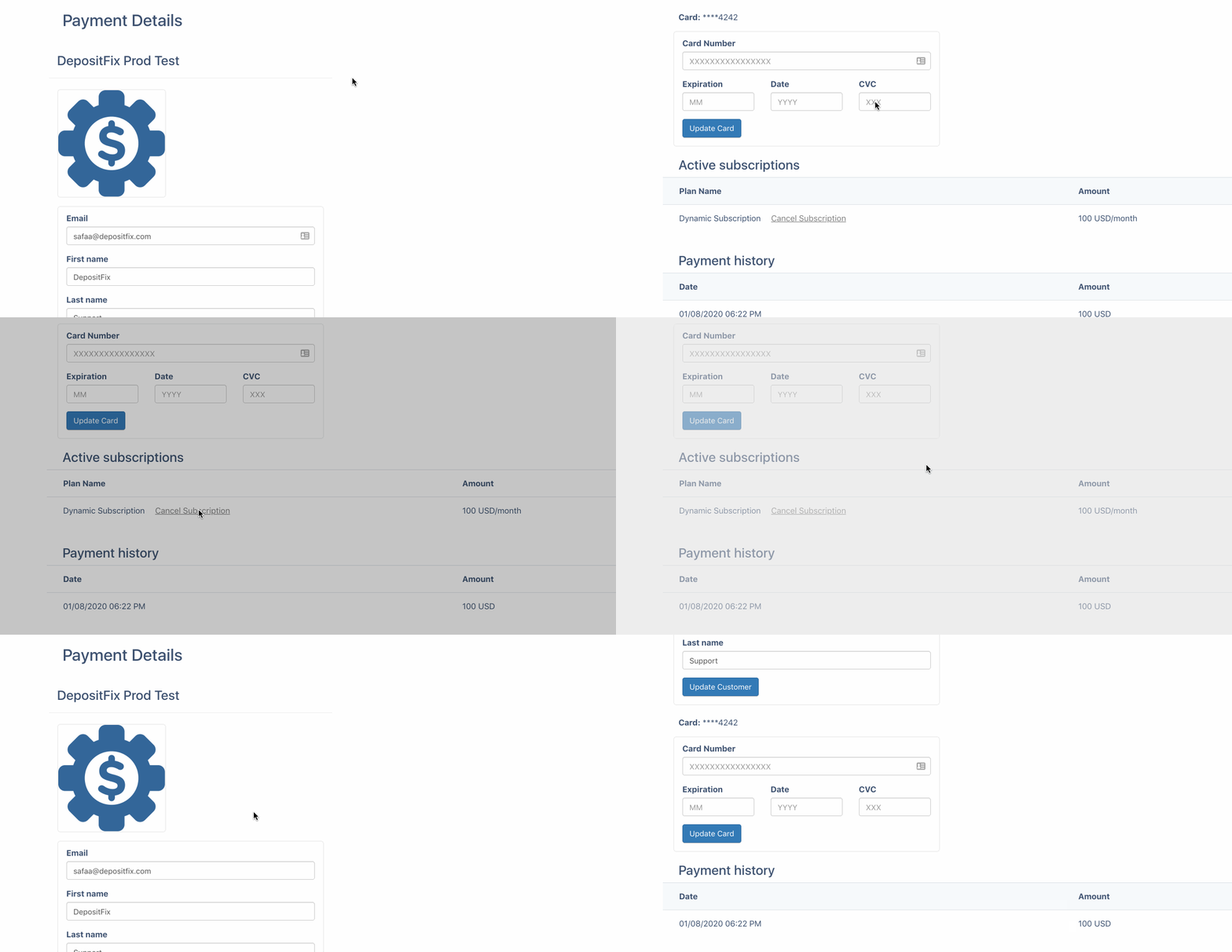
Customer Basic Details: Company name, Logo, Email, First Name, Last Name, and last four digits of the card number.
Payment Details: Active Subscriptions and Payment History.
You or your customers can update their information from this page, and manage their subscriptions, To cancel any recurring subscriptions, simply click on the "Cancel Subscription" button, from the list of active subscriptions.
The link can be retrieved from:
HubSpot CRM - Contact - Payment Group Fields - Billing Profile Property
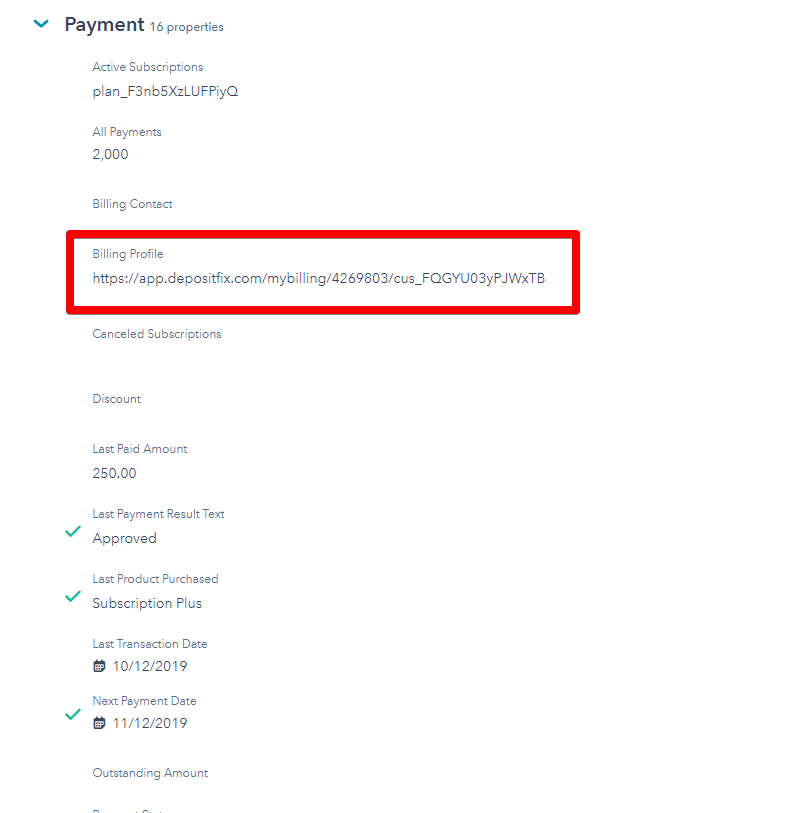
You can send the URL generated from the payment field to your customers for reference, or, if you want them to update their information.
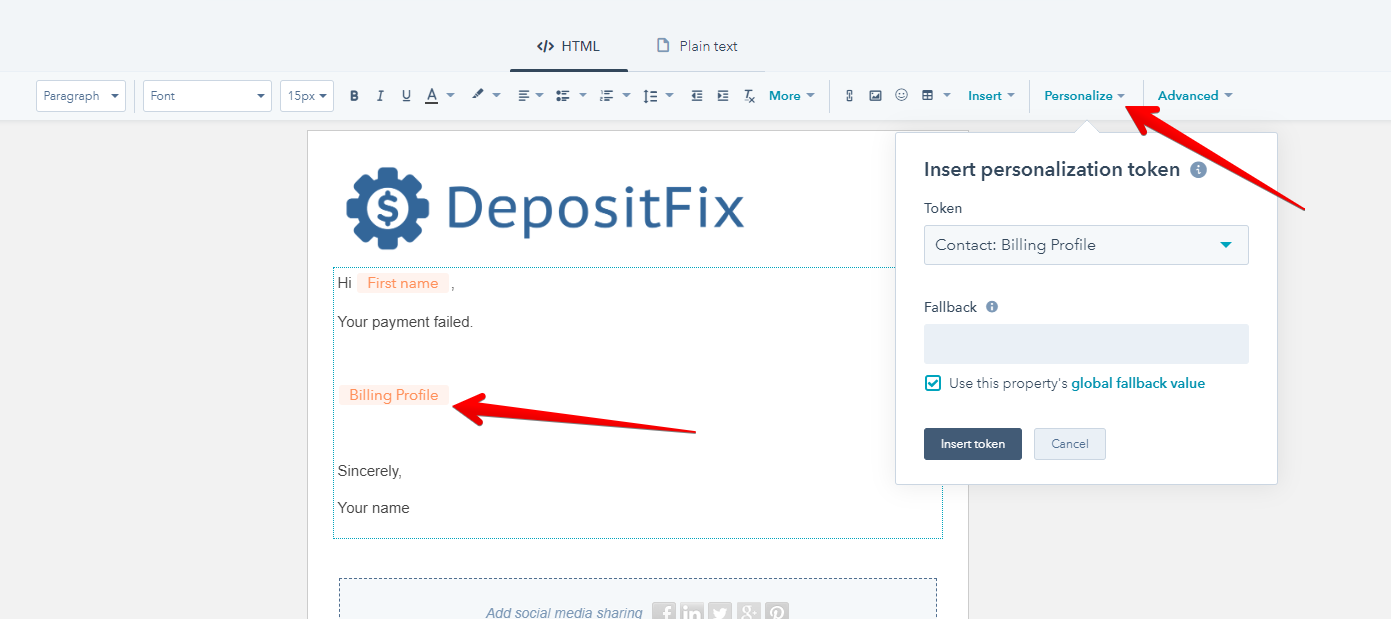
For HubSpot users, you can insert the link through the Personalize tool.