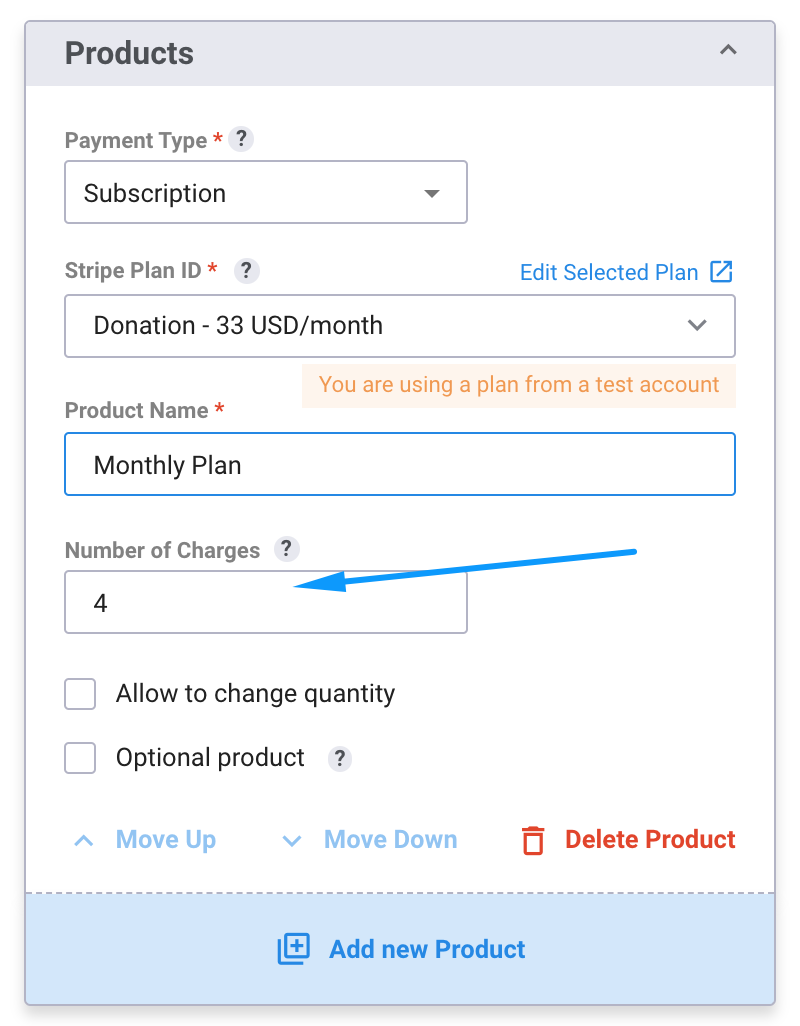
With the "Number of Charges" field, you're able to specify the number of times a subscription should be charged, i.e if you set it to 12, the subscription will automatically end after 12 charges (the charges could be daily, weekly, monthly, annually, or custom, depending on how you set them up in your Stripe subscription settings).
1. In order to a specific number of charges into your form, from our form builder, select "Add new Product".
2. Select "Subscription" as your payment type, and add the number of times you want to charge in the "Number of Charges" field.
You can add any number here, or leave it empty for infinite charges until manually canceled by the customer.