All is set and the tests are all good. It is now time to make your form public and start collecting live payments.
To switch to live mode, open your user settings in your DepositFix dashboard.
Switch Stripe to Live mode
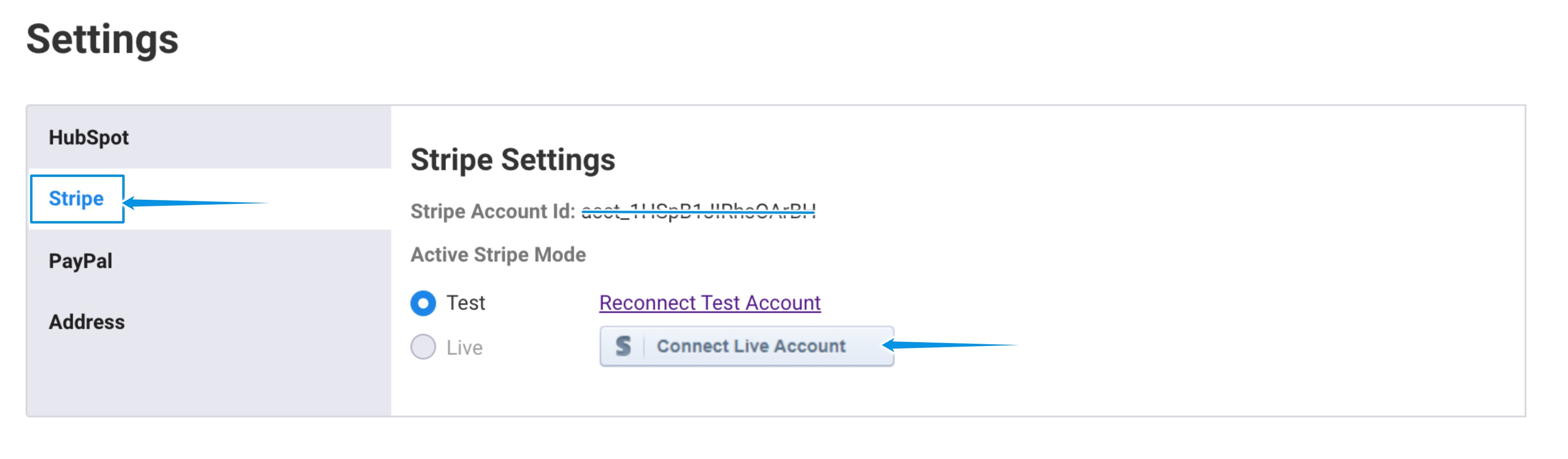
- From the user settings, click on Stripe
- Click on Connect Live Account
Note: If you use Stripe subscriptions, make sure that you have the same subscription plans in live mode as in test mode, otherwise you will have to re-select the plans for each form.
Switch PayPal to Live mode
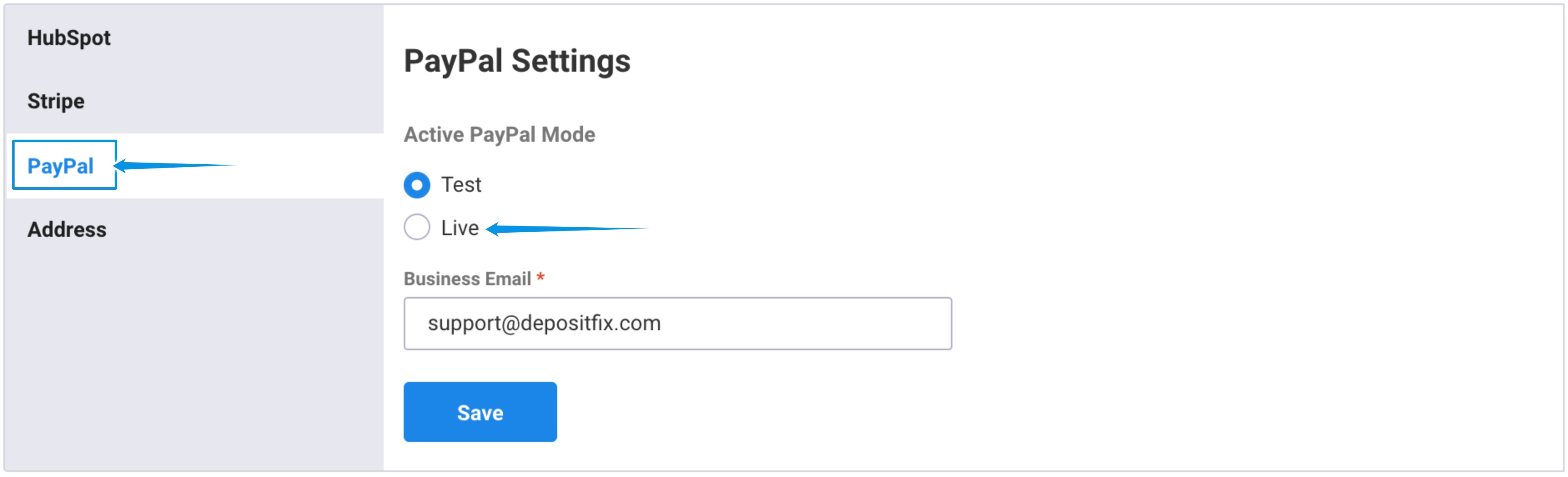
- From the user settings, click on PayPal
- Switch the radio button to Live
- Click on Save
Now, you are ready to accept real payments. It's THAT easy!
Next: Testing your Live Forms
Back: Testing Your Forms