What is a DepositFix Form?
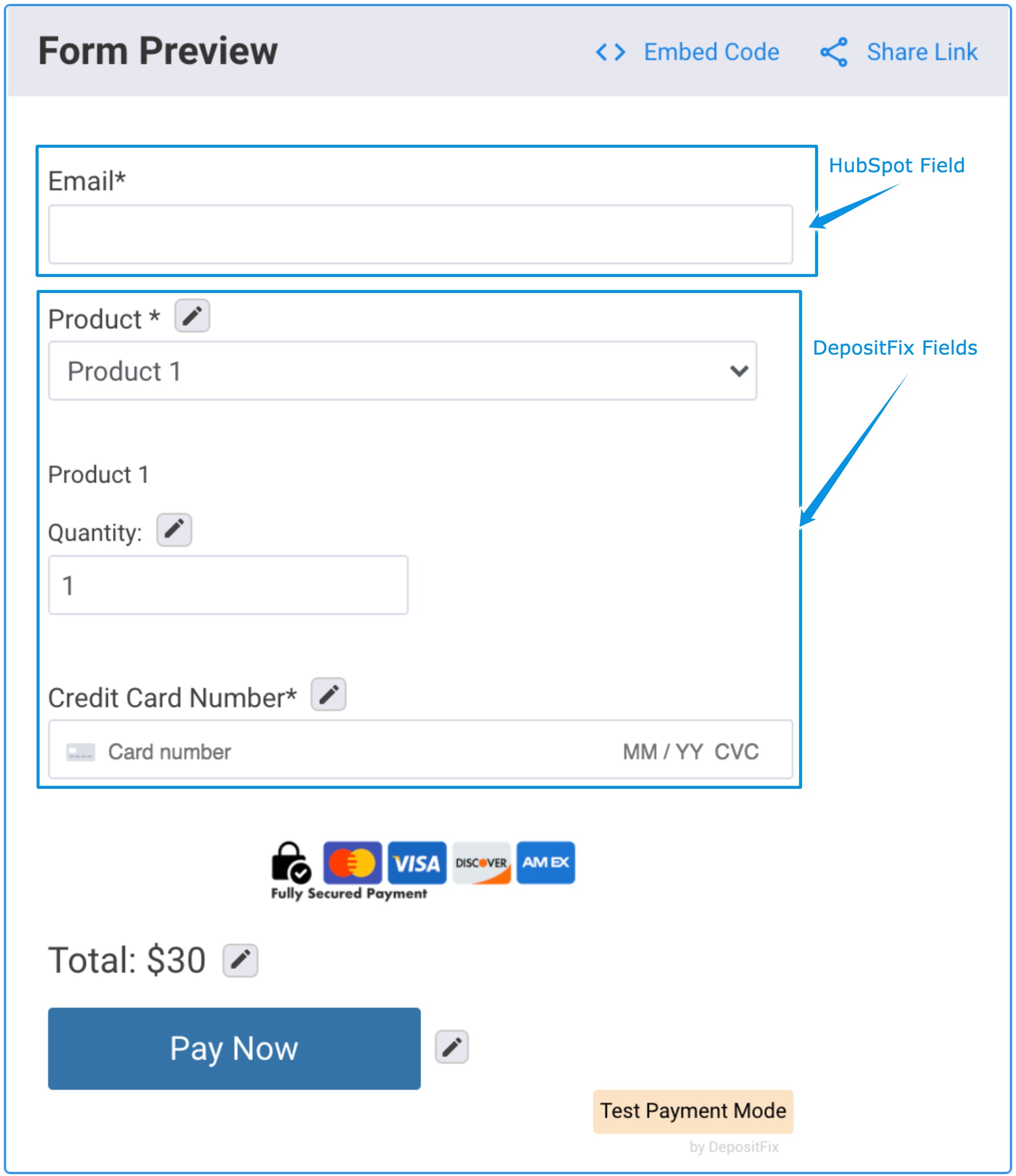
A DepositFix payment form is a HubSpot form upgraded to accept and record payments. When you create a DepositFix form, you will need a base HubSpot form that includes all your contact fields such as email, address, name, etc, and any other HubSpot information you'd like to have.
When this form is used in DepositFix, DepositFix will add the payment fields only, this includes the product field, credit card field, etc.
Build your Base HubSpot Form
If you already have a HubSpot form ready, you can skip this step. .
Video:
Inside HubSot:
1. Go to Marketing - Lead Capture - Forms

2. Click on Create a Form.
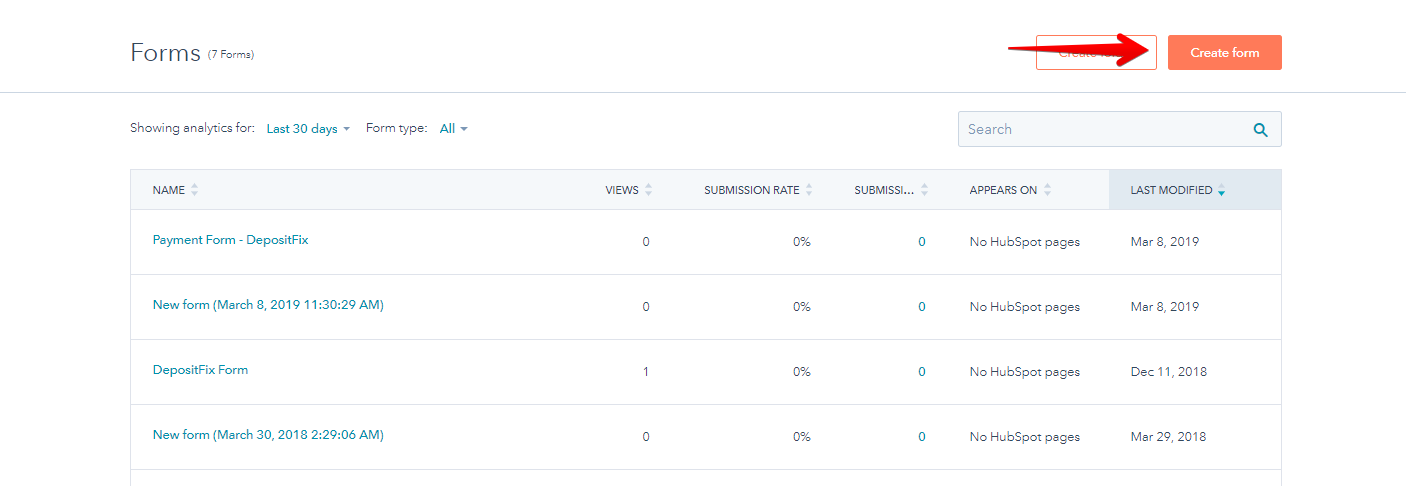
DepositFix installs a pre-build form (name: DepositFix Form) that you may opt to use instead of building a new one.
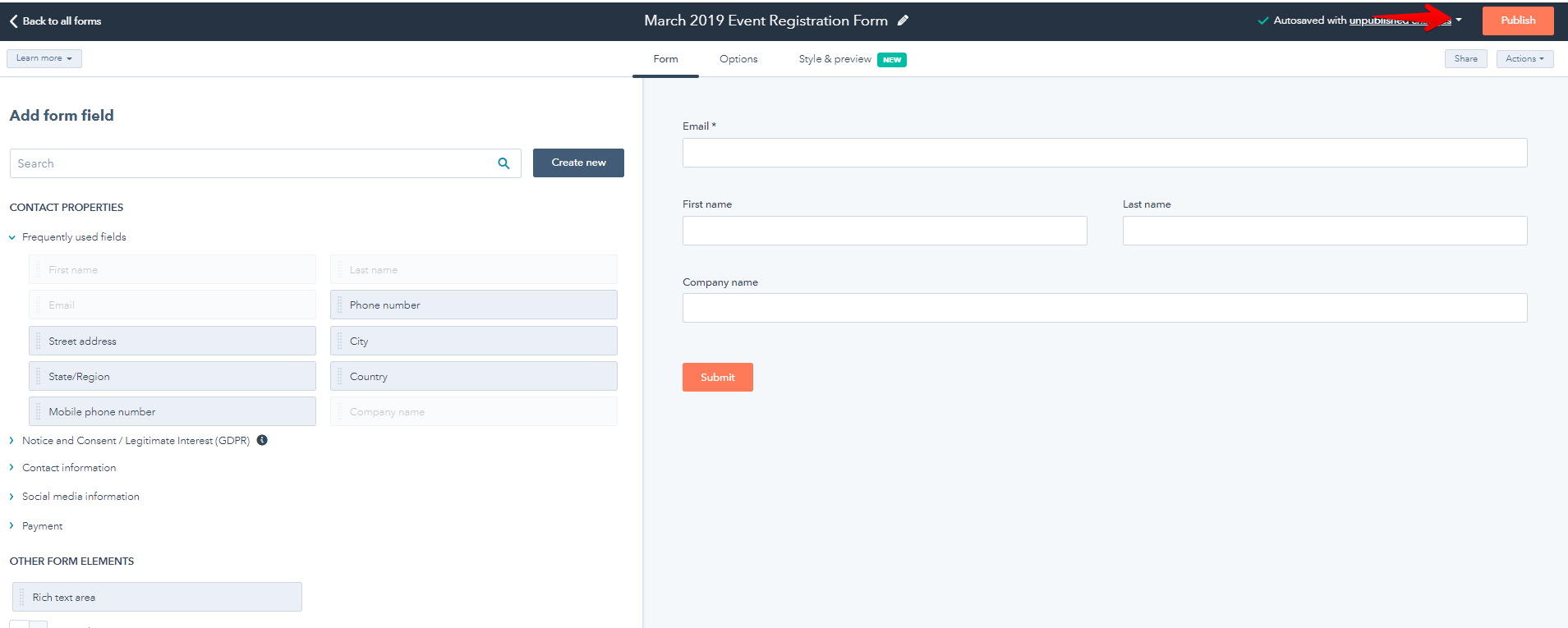
3. Choose the fields you want to use to gather information from your customers. Drag from left to right part of your screen.
Note: The payment fields for credit card, discount fields, product will be built later on our form builder.
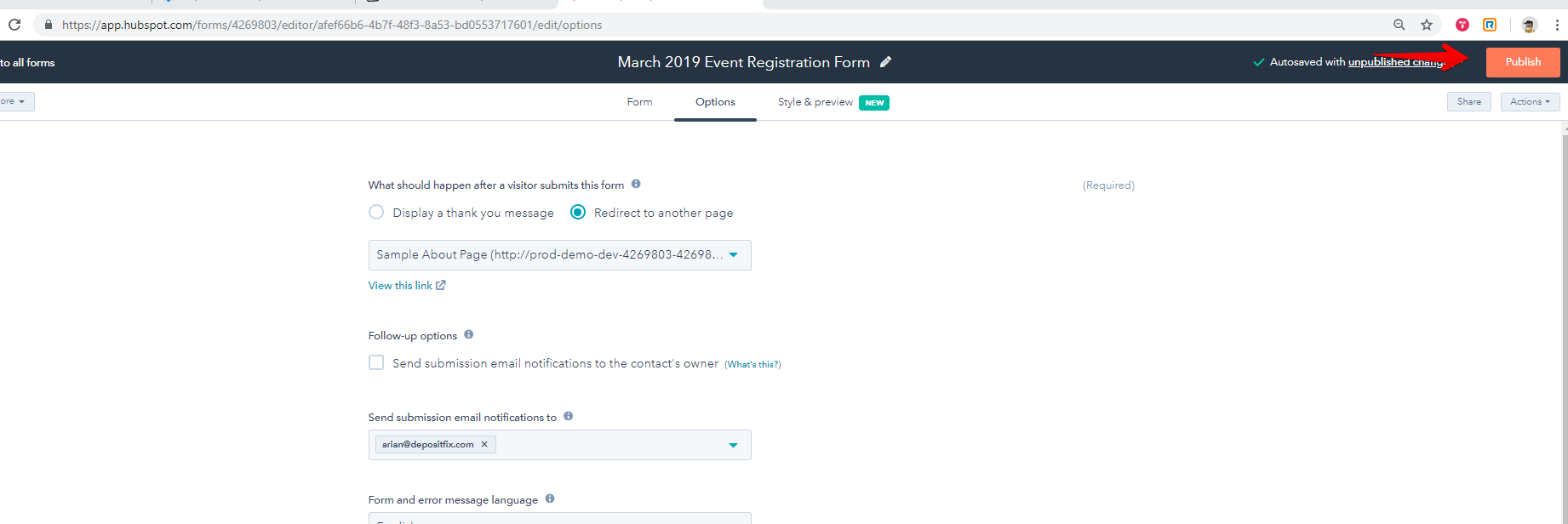
Setting up Thank You page (Redirect Page)
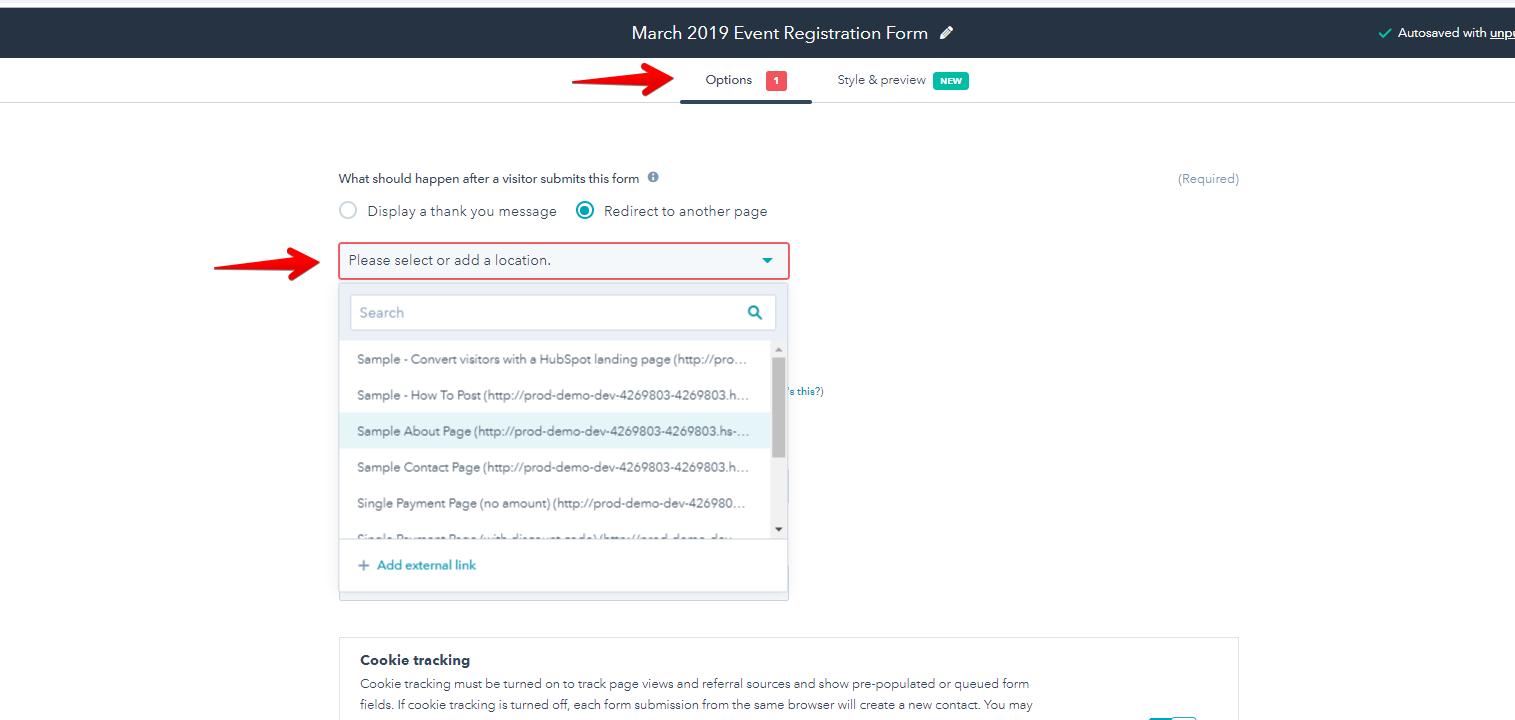
You can set the form to redirect to an external page after submission. This is commonly used for thank you page after payments.
You can add the URL or choose the page from HubSpot on the dropdown.
DepositFix says:
We suggest creating a form specifically for the payments. There are instances where you may want to use the same form on another page and any edits made will affect the payment form. Clone the form and just add "-DepositFix" on the name to give it distinction that this is for payments only.
5. Hit on Publish once done.
HubSpot forms are very thorough and customizable, there are many ways you can edit and set up your form to fit what you need to happen on your page. For more information on building your own HubSpot forms, visit the HubSpot knowledge base here.
Next: Using The Payment Form Builder
Back: Connecting DepositFix